Quick answer
Open Clock, tap Alarms, create an alarm or edit one, then tap Sound and Pick a song. Choose a song from your Music library and save the alarm.
I would download the song to the iPhone first. The alarm then does not depend on a good connection when it is time to wake up.
Set a Music library song as the alarm
- Open the Music app and make sure the song is in your library.
- Download the song to the iPhone.
- Open Clock and tap Alarms.
- Tap +, or tap an existing alarm to edit it.
- Tap Sound, then Pick a song.
- Choose the song, return to the alarm screen, then tap Done or Save.
Apple's Clock guide confirms that a regular alarm sound can be a vibration, song, or ringtone.
A song and a ringtone are different paths
Use Pick a song when the audio is already in the Music library. You do not need to cut a library song into a 30-second ringtone just to use it as a Clock alarm.
Use the ringtone route only when you want a custom tone or the audio cannot be added to Music. That is where GarageBand normally enters the setup.
Song missing?
Download the song before choosing it
For Apple Music, add the song to your library and download it. For an iTunes Store purchase, open iTunes Store, tap More, Purchased, Music, then Not on This iPhone and download the song.
If you find a recording in Apple Music Classical, add it to your library there. Then open the Apple Music app to download it before choosing it as the alarm sound.
Apple documents adding Classical recordings to your library, downloading them in Apple Music, and redownloading iTunes Store purchases.
If the song is only in Files
The Clock song picker reads the Music library. An MP3 or other audio file sitting in the Files app will not appear there by itself.
Add or sync the audio to the Music library from a Mac or Windows computer first. Apple lists computer sync as one supported way to get music onto an iPhone.
If a purchased song still does not appear
Check the Apple Account under Settings → your name → Media & Purchases. The purchase needs to belong to the account currently used for media.
Also check whether the purchase is hidden or already present in Music. Apple's redownload guide covers both cases.
Use music alarms in PiggyAlarm
PiggyAlarm can use songs from your music library as alarm sounds. It also gives you recurring alarms, custom snooze timing, wake-up tracking, and a snooze profile.
If the song is already in Music, choose it while setting up the PiggyAlarm alarm.
Open PiggyAlarm on the App Store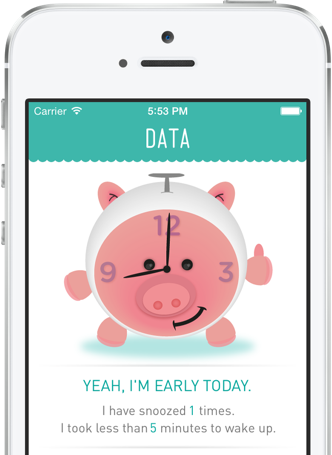
iPhone alarm song questions
Can I use a song as an alarm on iPhone?
Yes. For a regular Clock alarm, tap Sound, tap Pick a song, then choose a song from your Music library.
Why does my purchased song not appear as an alarm sound?
Check that the purchase uses the same Apple Account and that the song is downloaded in Music. You can redownload it from iTunes Store → More → Purchased → Music → Not on This iPhone.
Can I use an audio file from Files as an iPhone alarm?
The Clock song picker uses the Music library, not arbitrary audio files in Files. Add or sync the audio to Music first, or create a ringtone instead.
Do I need GarageBand to use a full song as an alarm?
No, not when the song is available in the Music library. GarageBand is useful for making a custom ringtone from other audio.