Quick answer
On iOS 26, open Clock, tap Alarms, edit or create an alarm, turn Snooze on, tap Snooze Duration, choose 1 to 15 minutes, then save.
Older iOS versions keep the classic 9-minute iPhone snooze. If you cannot see Snooze Duration, update iOS or use the alarm workaround planner below.
No setting yet?
Make a custom iPhone snooze with separate alarms
If your iPhone is still fixed at 9 minutes, the practical workaround is to turn Snooze off and set follow-up alarms yourself. This gives you a 5-minute, 10-minute, or exact get-up plan even before Snooze Duration appears on your phone.
Change iPhone snooze duration in iOS 26
- Open the Clock app.
- Tap Alarms.
- Tap an existing alarm, or tap + to create one.
- Make sure Snooze is on.
- Tap Snooze Duration.
- Pick a duration from 1 to 15 minutes.
- Tap Save or Done.
Apple also documents Snooze Duration for wake-up alarms in the Clock app guide.
Why is snooze 9 minutes?
The short version: 9 minutes became the familiar snooze length before phone alarms. The common explanation is that early mechanical clock designs could not easily land on an exact 10-minute snooze, so the delay stayed just under 10 minutes.
That history still shaped phone alarms for years. iOS 26 changes the practical answer: the default can still start at 9 minutes, but each alarm can now use a shorter or longer snooze from 1 to 15 minutes.
Snooze planner
See when you actually get up
Pick your first alarm, snooze duration, and likely number of taps. The planner shows the real wake-up time and the separate alarms to create when Snooze Duration is missing.
Final get-up time
7:18 AM
Two 9-minute snoozes turn a 7:00 AM alarm into a 7:18 AM get-up.
| Step | Time | What happens |
|---|---|---|
| Alarm | 7:00 AM | First alarm rings |
| Snooze 1 | 7:09 AM | Alarm rings again |
| Snooze 2 | 7:18 AM | Get up target |
Older iOS workaround
No Snooze Duration setting?
If your iPhone still uses the fixed 9-minute snooze, turn snooze off and create separate alarms instead. This keeps the same wake-up plan without relying on the built-in snooze interval.
Create these alarms
- 7:00 AM - first alarm
- 7:09 AM - follow-up alarm
- 7:18 AM - get-up alarm
Where PiggyAlarm fits now
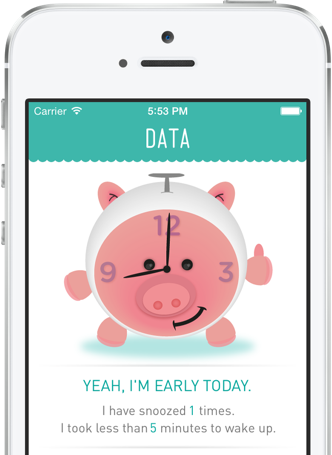
Native iOS snooze duration is useful. PiggyAlarm is for the next layer: recurring alarms, music alarms, snooze tracking, wake-up time awareness, and a snooze profile you can review after the morning is over.
If you keep wondering where the time went after tapping snooze, PiggyAlarm makes that pattern visible.
Open PiggyAlarm on the App Store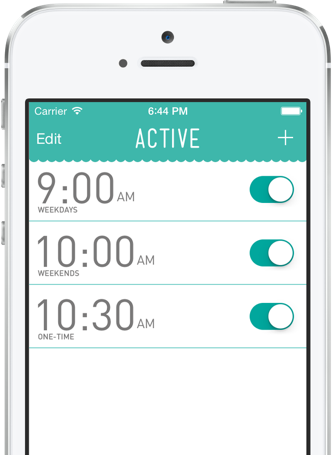
iPhone snooze questions
Can I set a different snooze time for every iPhone alarm?
Yes, on iOS 26 you can set Snooze Duration per alarm. There is no need to make every alarm use the same duration.
What iPhone snooze duration should I choose?
Use the shortest duration that still gives you a clean second chance. Try 5 minutes for quick resets, 9 minutes for the familiar default, and 12 to 15 minutes only when your schedule has enough buffer.
Why can't I change snooze time on my iPhone?
You are probably on an older iOS version or editing a place where the option is not available. Update iOS if possible. Otherwise, use the planner above to set multiple separate alarms at the times you want.
How do I make a custom iPhone snooze without Snooze Duration?
Turn Snooze off, then create separate alarms for each follow-up time. For a 7:00 AM alarm with two 5-minute follow-ups, set alarms at 7:00 AM, 7:05 AM, and 7:10 AM.
Should I use snooze or separate alarms?
Use snooze when you want one alarm with a quick second chance. Use separate alarms when you need exact wake-up times, your iPhone does not show Snooze Duration, or you want a stronger signal that the next alarm is not optional.